Lineup Lab · community powered
Every lineup. Pinned to the map.
Browse 5,503 lineups across 13 VALORANT maps. Pick a landing spot, watch the clip, and keep your best utility in a private playbook.
5,503 lineups · 13 maps · free, no account
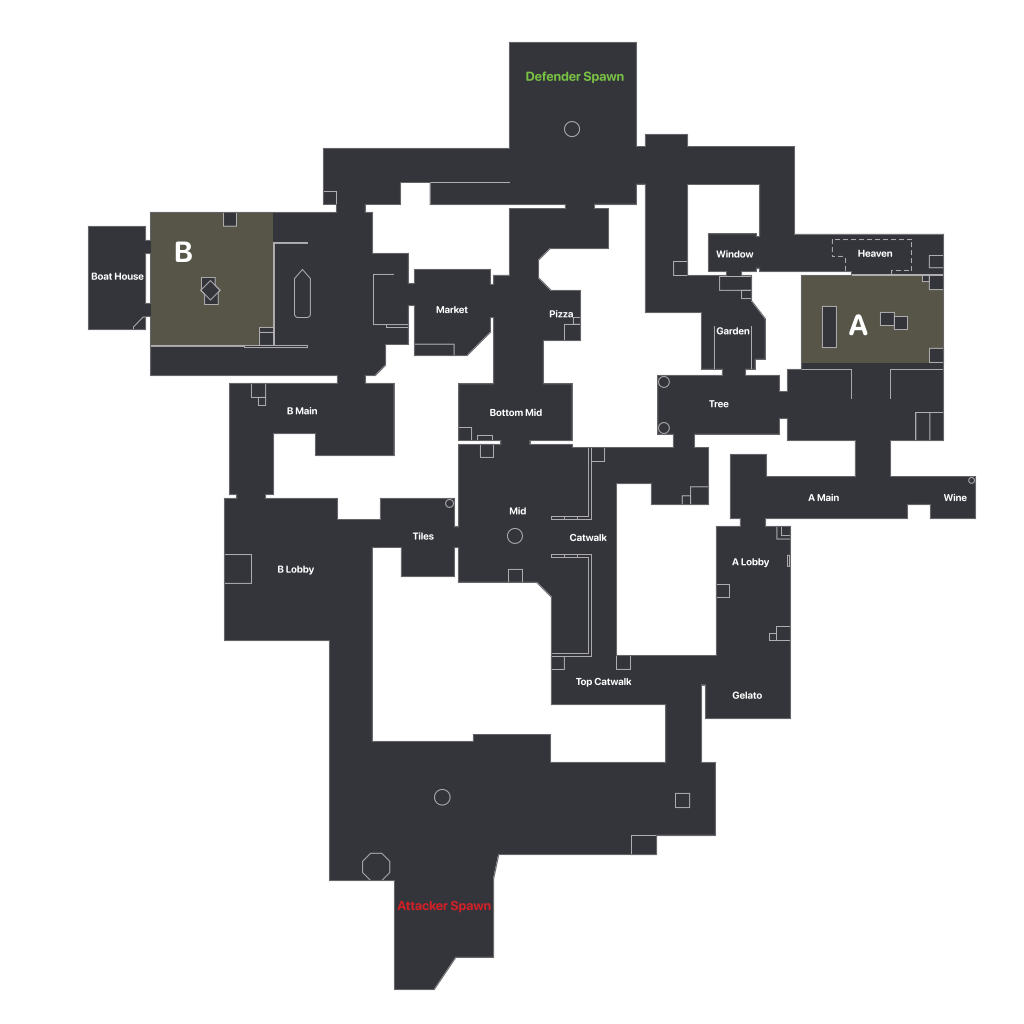
Ascent lineups
How it works
Start fromwhere it lands.
- 01
Destination-first
Search by where you want utility to land—not just by agent. Start and landing markers stay visible together.
- 02
Watch the clip
Watch each lineup directly on the page, with creator credits and a link to the original guide.
- 03
Grows with the community
Anyone can submit an embeddable guide. New entries go through review before appearing publicly.
FAQ
VALORANT lineups, explained.
How do I find a VALORANT lineup?
Choose a map, attack or defense, then an agent and ability. Click a landing spot on the map to see every lineup that hits it, each with its video clip and creator.
Can I filter lineups by situation, like post-plant or retake?
Yes. Every lineup is tagged post-plant, retake, one-way, anti-plant, entry, info, setup or flank based on its title, and you can filter by tag, map, side, agent or ability, then sort by newest, most viewed or easiest.
Can I save lineups without an account?
Yes. Your Scout playbook is stored privately in this browser, so no account is required.
Can I send a lineup into the strategy planner?
Yes. Open a lineup and use "Add to strategy board" to drop the agent and its utility marker straight into the Strategy tab.
Can I submit my own lineup?
Yes. Paste a public YouTube link, choose the map, agent and ability, then place the stand and landing markers. Submissions appear after review.
The app
Know the lobbybefore round one.
Valorant Scout is also a free desktop app: every player's rank, RR, K/D, party and smurf flags, live from your own VALORANT client.
Free · open source · Windows 10 and 11